Attention!
Your PC is blocked due to at least one of the reasons specified below. You have been violating “Copyright and Related Rights Law” (Video, Music, Software) and illegally using or distributing copyrighted content, thus infringing Article 128 of the Criminal Code of Australia. Article 128 of the Criminal Code provides for a fine of 2 to 5 hundred minimal wages or a deprivation of liberty for 2 to 8 years.
You have been viewing or distributing prohibited Pornographic content (Child Porn/Zoophillia anr etc.) Thus violating article 202 of the Criminal Code of Australia.
Article 202 of the Criminal Code provides for a deprivation of liberty for 4 to 12 years. Illegal access to computer has been initiated from your PC, or you have been… Article 208 of the Criminal Code provides for a fine of up to AUD $100,000 and/or a deprivation of liberty for 4 to 9 years.
Illegal access has been initiated from your PC without your knowledge or consent, your PC may be infected by malware, thus you are violating the law On Neglectful Use of Personal Computer. Article 210 of the Criminal Code provides for a fine of AUD $2,000 to AUD $8,00.


Information of Australian Federal Police (AFP) Ukash
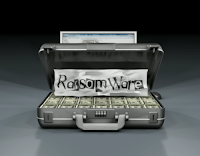 Australian Federal Police (AFP) Ukash
 virus is a widely propagating ransom virus which has annoyed many computer users. Most commonly, victims will get a fake alert from Australian Federal Police (AFP) Ukash virus which claims that you have done something illegal so that you need to pay fine $100 to unlock your PC. Is that true? Certainly not. Once your computer is infected with such tricky ransomware virus, the very first thing you need to do is
DO NOT PAY MONEY for it.
Simply, Australian Federal Police (AFP) is created by cyber criminals to get money from victims. Though you have pay fine on it, the virus won’t go away from your computer indeed. The longer time you keep the virus in your PC, the more threats it will bring apparently. Basically, it will utilize the bogus notification to cover your screen stubbornly that you can do nothing in your affected PC. In some worse situations, some important functions of Windows are unusable and computer users cannot even log in regular mode.
To protect from PC from further damage, you need to clean up Australian Federal Police (AFP) Ukash virus from your PC promptly.
Harms ransom virus could bring
1. It downloads and installs rogue software without your permission.
2. It disables executable applications and antivirus on your computer.
3. It gives fake warnings to mislead you to pay for it.
4. It blocks opening legitimate websites but its purchase page.
5. It causes your computer slowing down and even crashing from time to time.
Remove AFP Australian Federal Police step by step
1) Boot your computer into Safe Mode with Networking
To perform this procedure, please restart your computer. -> As your computer restarts but before Windows launches, tap “F8″ key constantly. -> Use the arrow keys to highlight the “Safe Mode with Networking” option and then press ENTER. -> If you don’t get the Safe Mode with Networking option, please restart the computer again and keep tapping “F8″ key immediately.
2) Show hiden files of AFP Australian Federal Police
Open Folder Options: clicking the
Start button>
Control Panel>
Appearance and Personalization, and then clicking
Folder Options. After that clicking the
View tab.
Under Advanced settings, click Show hidden files and folders, uncheck
Hide protected operating system files (Recommended) and then click
OK.
3) Check the following directories and remove AFP Australian Federal Police associated files:
%desktop%/random.link
%Appdata%/random letters
4) Open Registry Editor by navigating to Start Menu, type in Regedit, and then click OK. When you have been in Registry Editor, please remove the following registry entries related with AFP Australian Federal Police:
HKCU\Software\Microsoft\Windows\CurrentVersion\Run\random
HKCU\Software\Microsoft\Windows\CurrentVersion\InternetSettings\WarnOnHTTPSToHTTPRedirect
HKLM\SOFTWARE\Microsoft\Windows NT\CurrentVersion\Image File Execution Options\AAWTray.exe
HKLM\SOFTWARE\Microsoft\Windows NT\CurrentVersion\Image File Execution Options\AAWTray.exe\Debugger svchost.exe
Automatic Removal Tool (Recommended)
SpyHunter is a powerful, real-time anti-spyware application that designed to assist the average computer user in protecting their PC from malicious threats like worms, Trojans, rootkits, rogues, dialers, spyware, etc. It is important to notice that SpyHunter removal tool works well and should run alongside existing security programs without any conflicts.
Step 1. Click the Download icon below to install SpyHunter on your PC.

Step 2. After the installation, run SpyHunter and click “Malware Scan” button to have a full or quick scan on your computer.

Step 3. Choose Select all>Remove to get rid of all the detected threats on your PC.

Manual removal of files and registry entries is very effective to get rid of this annoying threat AFP Australian Federal Police. Anyhow, it requires skills and experience, if any wrong operation or even any deviation from the instructions during the manual removal could result in irreparable system damage. To make sure complete deletion, it is recommended to click here to download the most popular antivirus program SpyHunter to help you.

 Inbox.com has been known as a malicious redirect virus which basically messes up browsers such as Internet Explorer, Google Chrome and Mozilla Firefox. It is common that many computer users may have no idea how their computers get infected Inbox.com. Inbox.com redirect virus utilizes its advanced techniques to parasitize vicious websites, spam email attachments or distrusted downloading resource. When victims get Inbox.com without carefulness, it will start to reset default homepage of browser as Inbox.com apparently via changing DNS settings. Also, it may install its related Inbox toolbar to glue its components stubbornly.


